
Game development with less tedium, more craft.
Game development with less tedium, more craft.
Game development with less tedium, more craft.
Bezi is a workspace that sits on top of your game engine, so you can offload manual repetitive tasks, build custom tools, and remove friction from the experience of building games. Expanded bandwidth means more time to test ideas — a prerequisite to hit creative breakthroughs.
Bezi is a workspace that sits on top of your game engine, so you can offload manual repetitive tasks, build custom tools, and remove friction from the experience of building games. Expanded bandwidth means more time to test ideas — a prerequisite to hit creative breakthroughs.


 CityHero
WallRunController.cs into CityHero, matching project conventionsPlayerLocomotion.csPlayer.prefab with spec-matched valuesVisit on desktop to download
Bezi's understanding goes beyond the engine
Bezi's understanding goes beyond the engine
Unity project
Unity project
Unity project
Code, scenes, prefabs, assets, and packages indexed in real time.
Code, scenes, prefabs, assets, and packages indexed in real time.
Knowledge Base
Knowledge Base
Knowledge Base
Docs, rules, meeting notes, and shared project knowledge kept in sync.
Docs, rules, meeting notes, and shared project knowledge kept in sync.
Connections
Connections
Connections
GitHub, Jira, Figma, Notion, and Blender connected to the same context.
GitHub, Jira, Figma, Notion, and Blender connected to the same context.
Real-time context that extends into local folders and git commits
Bezi indexes your project in real-time: your code, scenes, prefabs, assets, and packages, in addition to project knowledge that lives outside your engine. Connect design docs, meeting notes, spreadsheets, and local folders, and Bezi is completely in sync with your project's dynamic state. Extend it further by connecting your Github, and Bezi draws on your project's full development history to find solutions.
Hexdeckteamwork
teamwork
A shared workspace keeps the whole team in sync
A shared workspace keeps the whole team in sync
A shared workspace keeps the whole team in sync
With Bezi's collaborative workspace, every member's Bezi draws from the same foundation. Two people working in parallel get aligned output, streamlining revision cycles, handoffs, and status syncs.
With Bezi's collaborative workspace, every member's Bezi draws from the same foundation. Two people working in parallel get aligned output, streamlining revision cycles, handoffs, and status syncs.
Unrivaled depth of in-engine execution capabilities
Unrivaled depth of in-engine execution capabilities
Resource Gathering,
Inventory & Building
Prototype
Context
BeziBits currently has a networked Photon Fusion hub world
(Core.Player.PlayerCharacterController is a Network Behaviour)
driven by Core.Player.PlayerInputProvider, which feeds aCore.Player.PlayerInputData struct through Fusion's tick input pipeline,
but no gameplay systems for items, pickups, inventory, or building.
The Input Actions asset /BeziBits/Assets/Scripts/Input/InputSystem_Actions.inputactions
already defines Interact and Attack actions in the Player map that are fully
unused by any script today.
Create the HUD PanelSettings asset and wire the HUD GameObject into Hub_Network.unity.
Create Or Update Scriptable Object
- Asset Path
- …/UI/HUD/HUDPanelSettings.asset
- Scriptable Object
- Props
- Match
- 0.5
- Scale Mode
- ScaleWithScreenSize
- Sorting Order
- 0
- Screen Match…
- MatchWidthOrHeight
- Reference Re…
- X 1920 Y 1080
- Scriptable Obje…
- …Engine.UIElements.PanelSettings
Let’s verify the changes with a screenshot check and console read to confirm everything compiles and looks right.
In-editor execution capabilities
Bezi creates GameObjects, configures components, sets up prefabs, generates materials, and more, with capabilities continuously updated to maximize surface area of control.
Prototype - Bread
Combat System
Summary
Build a two-attack combat system for the bread roll player. The
stomp attack in BreadRollCombat.cs gets finished so it deals
real damage. A new rolling attack lets the player charge in place,
aim with WASD, then release to launch forward.
Target project: RollThatBread. Source scripts:BreadRollCombat.cs, BreadRollMovement.cs.
I’ll adjust the visible mesh’s Y curve in Landing, rather than moving the Rigidbody or collider. That keeps the physical arc and collision behavior intact.
Create Or Update Animation Curves
- Asset Path
- …/Assets/Animations/JumpUp.anim
- Frame Rate
- 60
- Loop Time
- Curves [
- Relative Path
- Roll
- Component Type
- UnityEngine.Transform
- Property Path
- m_LocalPosition.y
- Keyframes [
- Time
- 0
- Value
- −0.02018785
Explored · Thoughts
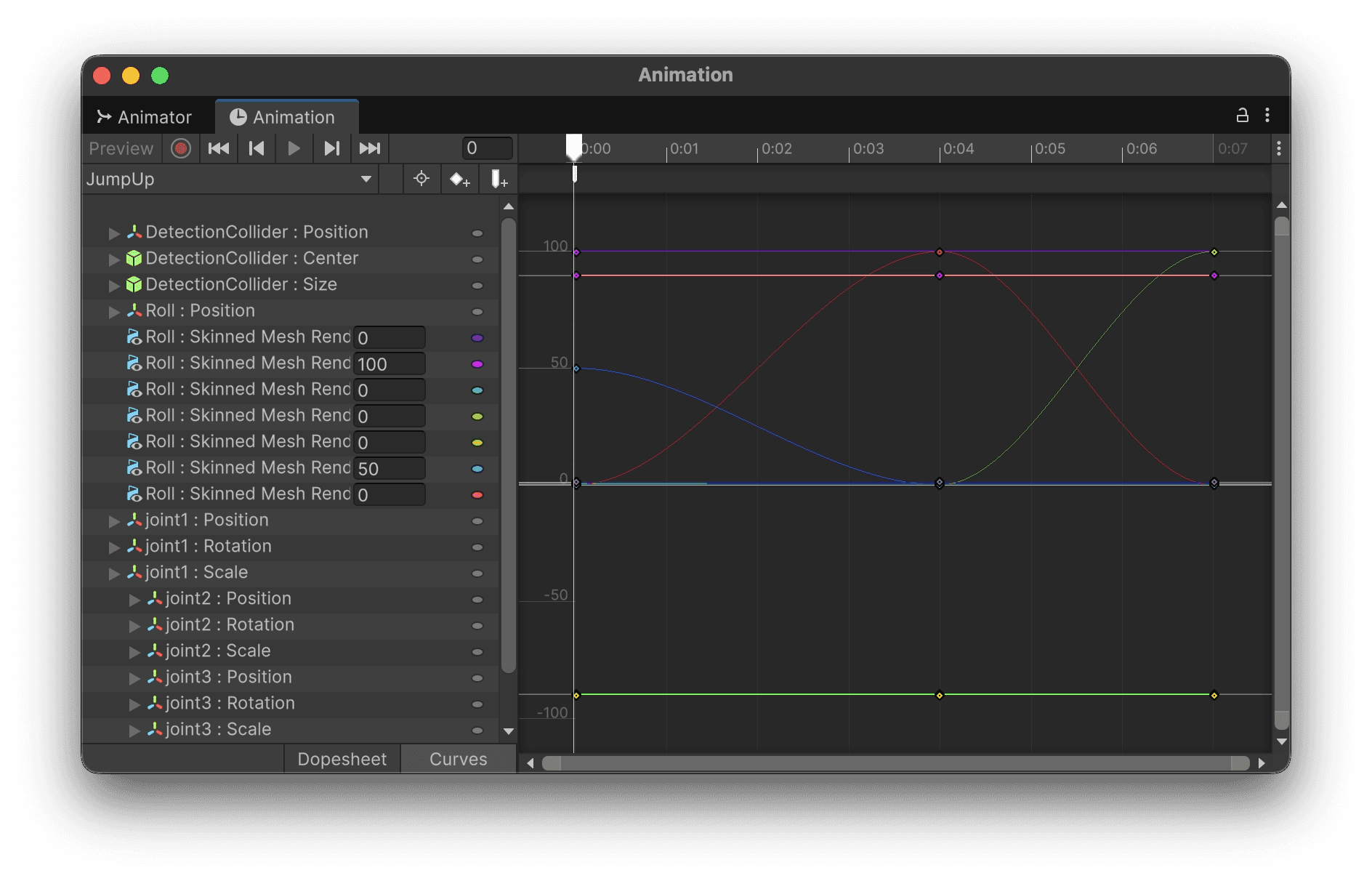
Animation
Import a rigged animation from Blender, Maya, or any DCC of your choice, and Bezi sets up your Mecanim and blend tree setup. You can also prompt Bezi for an animation clip, and in seconds, it will generate a prototype you can refine.
Prototype - Bread
Combat System
Summary
Build a two-attack combat system for the bread roll player. The
stomp attack in BreadRollCombat.cs gets finished so it deals
real damage. A new rolling attack lets the player charge in place,
aim with WASD, then release to launch forward.
Target project: RollThatBread. Source scripts:BreadRollCombat.cs, BreadRollMovement.cs.
Explored The Project
Now let's run the analysis against the most recent profiler data (this reads the last recorded run, no need to be in Play Mode again).
Profiler Actions
- Analyze Performance
- ✓
- Print Profiler Frames
- ✓
- Print Profiler Metrics
- ✓
- Print Rendering Stats
- ✓
- Max Items
- 40
Thinking…
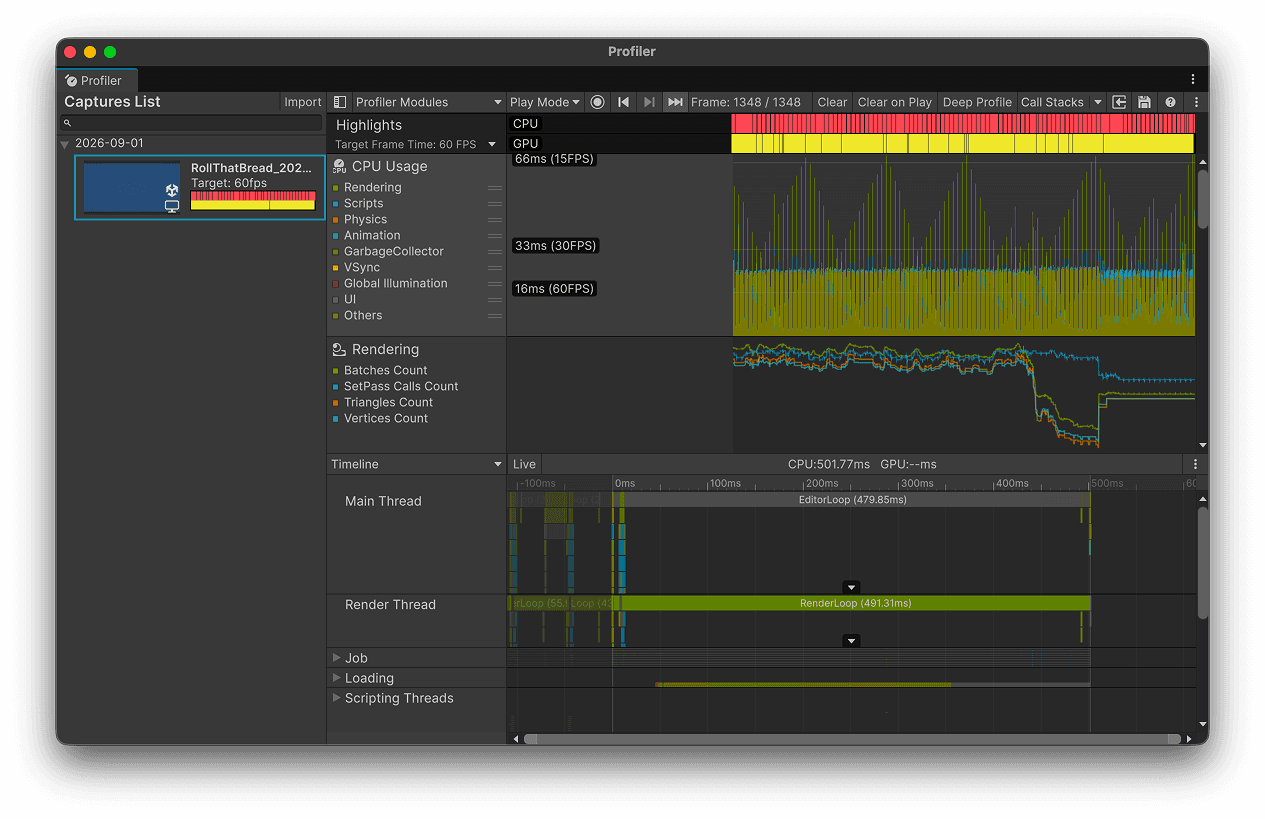
Profiler
Point Bezi at a scene that’s dropping frames, and it’ll profile it and trace the spikes to their source. Prompt with a target framerate, and Bezi will optimize and re-profile until you hit it.

Your Connections
Manage Connections →Project
Folders
⌘ ▣6 ConnectedAdd MCPs
Discover Skills
Manage Skills →All 9 tests discovered and compiled cleanly. Now let's run the EditMode suite and check the movement and animation regression coverage.
Run Tests
- Test Mode
- EditMode
Get Test Run Status
- Run Id
- 35be7a7eea4d46ab9e912e05cde4d4b7
Checking test run status. The results will appear in the Unity Test Runner.
Explored The Project
Clean compile. Now let me write the test suite.
using System.Reflection;using NUnit.Framework;using UnityEditor.Animations;using UnityEngine;using UnityEngine.AI; namespace Tests.Editor{ /// <summary> /// Regression coverage for <see cref="WASDMovement"/>: drift that can linger after /// animation completes, animator stuck state bugs, and movement continuingLet's confirm it compiles cleanly, then run the tests to verify they behave as expected.
using System.Reflection;using NUnit.Framework;using UnityEditor.Animations;using UnityEngine;using UnityEngine.AI; namespace Tests.Editor{ /// <summary> /// Regression coverage for <see cref="WASDMovement"/>: drift that can linger after /// animation completes, animator stuck state bugs, and movement continuing /// with movement keys held or released. /// /// WASDMovement reads raw UnityEngine.Input (legacy Input Manager), which cannot /// deterministically from an EditMode test. Instead these tests drive the private /// methods that a held/released key ultimately produces via reflection, and verify /// state the real input path would set. This exercises the exact logic under test /// depending on Play Mode or real input hardware. /// </summary> public class WASDMovementTests { private const string IsMovingParam = "isMoving"; private const string IsScoochingParam = "isScooching"; private const string IsCrouchingParam = "isCrouching"; private const string IsJumpingParam = "isJumping"; private const string IsGroundedParam = "isGrounded"; private const string IsLandingParam = "isLanding"; private GameObject player; private WASDMovement movement;Test Runner
Bezi writes EditMode and PlayMode tests for your code, runs them in Test Runner, and reads back results with stack traces. Point Bezi at a failing suite and it’ll fix and rerun until everything passes.

The outline updates are ready for review. You can keep or undo each file and action independently.
_OutlineColor ("Outline Color", Color) = (0,0,0,1)− _OutlineWidth ("Outline Width (World Units)", Range(0,1))+ _OutlineWidth ("Outline Width", Range(0,1))+ _OutlineMinPixels ("Minimum Pixels", Float)_OutlineFadeStart ("Fade Start", Float)_OutlineFadeEnd ("Fade End", Float)[Toggle(_SMOOTH_NORMALS)]Triple-check safety and visual verification
Every agentic action passes validation checks and is backed up before changes—so you can restore in one click. After each scene update, Bezi checks the rendered result for visual bugs.
<
>
A mode for every dimension of work
Immediate answers to every question
Immediate answers to every question
Bezi knows your specific project’s development history, and finds solutions, however trivial or complex the ask. Identify dependencies, debug performance issues, or spitball mechanic ideas. Onboard onto new features or old projects in minutes.
Bezi knows your specific project’s development history, and finds solutions, however trivial or complex the ask. Identify dependencies, debug performance issues, or spitball mechanic ideas. Onboard onto new features or old projects in minutes.
Bezi knows your specific project’s development history, and finds solutions, however trivial or complex the ask. Identify dependencies, debug performance issues, or spitball mechanic ideas. Onboard onto new features or old projects in minutes.
Think through a feature, get a structured plan
Think through a feature, get a structured plan
Measure twice, cut once. Drop in notes on the feature you want to build, and Bezi will ask follow-up questions to clarify what you want, catch dependencies, and present an itemized, structured checklist for itself to run.
Measure twice, cut once. Drop in notes on the feature you want to build, and Bezi will ask follow-up questions to clarify what you want, catch dependencies, and present an itemized, structured checklist for itself to run.
Measure twice, cut once. Drop in notes on the feature you want to build, and Bezi will ask follow-up questions to clarify what you want, catch dependencies, and present an itemized, structured checklist for itself to run.
Hit “Build” with confidence
Hit “Build” with confidence
Whether it’s creating GameObjects, configuring prefabs, or mocking up shaders, trust the tedious, manual tasks to Bezi, who will run it in seconds and visually verify its work.
Whether it’s creating GameObjects, configuring prefabs, or mocking up shaders, trust the tedious, manual tasks to Bezi, who will run it in seconds and visually verify its work.
Whether it’s creating GameObjects, configuring prefabs, or mocking up shaders, trust the tedious, manual tasks to Bezi, who will run it in seconds and visually verify its work.
Ask
Plan
Agent
DetectPlayer() raycasts along the ground plane. When the player jumps, the ray passes underneath and clears the target.
Turn repeat work into reusable Skills
Start with ready-made workflows for everyday game development—from auditing a project to moving Figma designs into Unity.
Build your own, then invoke any Skill with a slash command. Hours of repeated steps become one quick move.
/audit-project-structure
/optimize-performance
/build-mobile-ui
/build-input-system
/work-with-jira
/document-project
/work-with-figma
/convert-to-ui-toolkit
/prototype-this
/organize-animator
/unity-multiplayer-networking
/unity-ui-toolkit
/create-shader
/set-up-tests
/figma-to-ugui
/work-with-linear
Build your own, then invoke any Skill with a slash command. Hours of repeated steps become one quick move.











Easy integration with the rest of your pipeline
Whether it's GitHub, Figma, Blender, Jira, or Notion — if it's something you use to build games, you can connect it to Bezi directly, so you can frictionlessly bring work from other apps into the engine. Bezi also supports custom MCPs, so as long as your tool of choice has MCP support, Bezi can work with it.
Markdown imports and Proofs improvements
Import markdown files from Claude, folders, ZIPs, or drops to bring existing context into Bezi as Pages, with multi-file Proofs, more reliable Skill imports, and fixes for nested pages and a Unity serializer crash.
https://docs.bezi.com/get-started/changelog#09/16/2026
Agent mode in Play Mode, plus new models
Agent mode now runs in Play Mode for fully automated edit-play-verify-iterate loops, GPT-6 Astra and Claude Fable 5.1 join the model picker, and Bezi can prompt without a connected project and edit Project Settings directly.
https://docs.bezi.com/get-started/changelog#09/10/2026
Faster compilation and checkpoint reliability
Unity recompiles with the Bezi plugin are faster and use less CPU, checkpoint undo is more reliable, plus fixes for plan mode, @ mentions, and page deletion.
https://docs.bezi.com/get-started/changelog#09/01/2026
Custom Actions and Package Manager support
Custom Actions let you give Bezi specialized C# functionality beyond the built-in Actions, Bezi now works with Package Manager, and the 10-call-per-workflow limit on MCPs is removed, along with page duplication and transfer between workspaces.
https://docs.bezi.com/get-started/changelog#08/25/2026
Markdown imports and Proofs improvements
Import markdown files from Claude, folders, ZIPs, or drops to bring existing context into Bezi as Pages, with multi-file Proofs, more reliable Skill imports, and fixes for nested pages and a Unity serializer crash.
https://docs.bezi.com/get-started/changelog#09/16/2026
Agent mode in Play Mode, plus new models
Agent mode now runs in Play Mode for fully automated edit-play-verify-iterate loops, GPT-6 Astra and Claude Fable 5.1 join the model picker, and Bezi can prompt without a connected project and edit Project Settings directly.
https://docs.bezi.com/get-started/changelog#09/10/2026
Faster compilation and checkpoint reliability
Unity recompiles with the Bezi plugin are faster and use less CPU, checkpoint undo is more reliable, plus fixes for plan mode, @ mentions, and page deletion.
https://docs.bezi.com/get-started/changelog#09/01/2026
Custom Actions and Package Manager support
Custom Actions let you give Bezi specialized C# functionality beyond the built-in Actions, Bezi now works with Package Manager, and the 10-call-per-workflow limit on MCPs is removed, along with page duplication and transfer between workspaces.
https://docs.bezi.com/get-started/changelog#08/25/2026
FAQ
What is Bezi?
What engines does it support?
Do I need to set anything up?
How is Bezi different from Unity AI / Copilot / Claude Code + MCP?
Can I use it on an existing project?
Which AI models does Bezi use, and can I pick one?
Does it support MCP / extensibility?